Last reviewed October 2026.
Responsive design improves user experience by removing the small frustrations that make people give up on a phone. The text is readable, the buttons are easy to tap, nothing runs off the screen, and the phone number calls when you tap it. Visitors do not notice a good responsive site. They only notice a bad one.
This guide covers seven specific problems that responsive design fixes, how to spot each one on your own site, and what it cannot fix. If you want the basics first, start with what responsive web design is. This post is part of our complete guide to small business web design.
In this guide
- A phone visit, step by step
- Why phone experience matters
- 7 problems responsive design fixes
- Problems and fixes at a glance
- What responsive design will not fix
- How to see if your experience is working
- A 15-minute phone audit
- Common mistakes
- Frequently asked questions
- Next steps
A phone visit, step by step
Here is a made-up example to show what “user experience” means in practice.
It is 6 p.m. A homeowner has a leak under the kitchen sink. She searches on her phone and taps a plumber’s site. On Site A, the page loads as a tiny copy of a desktop page. She pinches and zooms to read. The phone number is a picture, so she cannot tap it. She goes back and tries the next result.
On Site B, the headline fits the screen. There is a big “Call now” button at the top. She taps it and the call starts. The whole visit takes about ten seconds.
Both plumbers may be equally good. Only one made it easy to say yes. That gap is user experience.

Why phone experience matters
Phones are how most people look things up. Pew Research Center found that 91% of U.S. adults own a smartphone. Visitors also decide fast. Nielsen Norman Group studied page visit times and found that users are most likely to leave in the first 10 seconds. That research is old, but the lesson holds: a page that is hard to use on a phone loses people before they read anything.
Google also judges the phone version. Its guide says it uses the mobile version of your content for indexing and ranking. So a poor phone experience can hurt people and search at the same time.
7 problems responsive design fixes
1. Text too small to read
On a page not built for phones, the browser shrinks the whole desktop layout to fit. The result is text a few pixels tall. Visitors have to pinch and zoom, then pan around.
A responsive page sets the layout width to the device and sizes text to be readable. The accessibility rules also expect this to work when people zoom. WCAG 2.2 says text should be resizable up to 200 percent without loss of content or function.
Check it: open your site on a phone without zooming. Can you read the first paragraph?
2. Sideways scrolling
Horizontal scrolling is one of the most annoying things on a phone. It happens when a wide image, table or banner pushes the page past the screen edge. Visitors miss content and feel the site is broken.
WCAG 2.2 has a rule for this called reflow. Content should work at 320 CSS pixels wide without scrolling in two directions. A responsive build stacks columns, wraps tables or lets them scroll inside a box, and caps image width.
Check it: swipe down your homepage with one thumb. If the page moves left or right at any point, something is too wide.
3. Buttons and links too small to tap
A mouse pointer is precise. A thumb is not. WCAG 2.2 sets a floor: pointer targets should be at least 24 by 24 CSS pixels, with some exceptions (Level AA). Nielsen Norman Group also says touch screens need larger targets than a mouse. A common mistake is a row of small text links in the footer, packed so close that you hit the wrong one.
Check it: try to tap your menu, your phone number and your main button with one thumb. Count how many times you miss.

4. Important content that is hidden or missing
Some sites hide sections on phones to save space. That can backfire. If a service list, a review block or a contact detail exists only on the desktop layout, phone visitors never see it. Google can miss it too.
Google’s guidance on mobile-first indexing says to make sure your mobile site contains the same content as your desktop site. The layout can differ. For example, long text can sit in tabs or accordions. The content should still be there.
Check it: compare your desktop and phone versions of the homepage. List anything that appears on one and not the other.
5. Pages that are heavy and slow
A desktop photo can be several times larger than a phone needs. If the page sends it anyway, mobile visitors wait and spend data. Responsive builds can serve smaller image files to smaller screens.
Google measures real-world speed with Core Web Vitals. Its thresholds for a good experience are loading in 2.5 seconds or less, responding in 200 milliseconds or less, and layout shift of 0.1 or less, measured at the 75th percentile of visits. Responsive layout does not make a page fast by itself, but it gives you the tools: flexible images, smaller files for small screens and less clutter. Our WordPress speed guide covers the fixes.
Check it: run your homepage through PageSpeed Insights and read the mobile tab first.
6. Forms and calling that fight the user
Typing on a phone is slow. Long forms with many fields lose people. Good mobile forms ask for less, use big fields and show the right keyboard. For phone numbers, an input marked as a telephone field makes mobile browsers show a number pad.
Calling should take one tap. A phone number written as a tap-to-call link starts the call on a phone. If your number is plain text or inside an image, people have to copy it or retype it.
Check it: fill out your own contact form on a phone. Time it. Then tap your phone number and see what happens.
7. An experience that changes from device to device
Many buyers use more than one device. They find you on a phone, then check again on a laptop at home. If the two experiences look like different companies, trust drops. One responsive site keeps the same pages, the same words and the same address across screens.
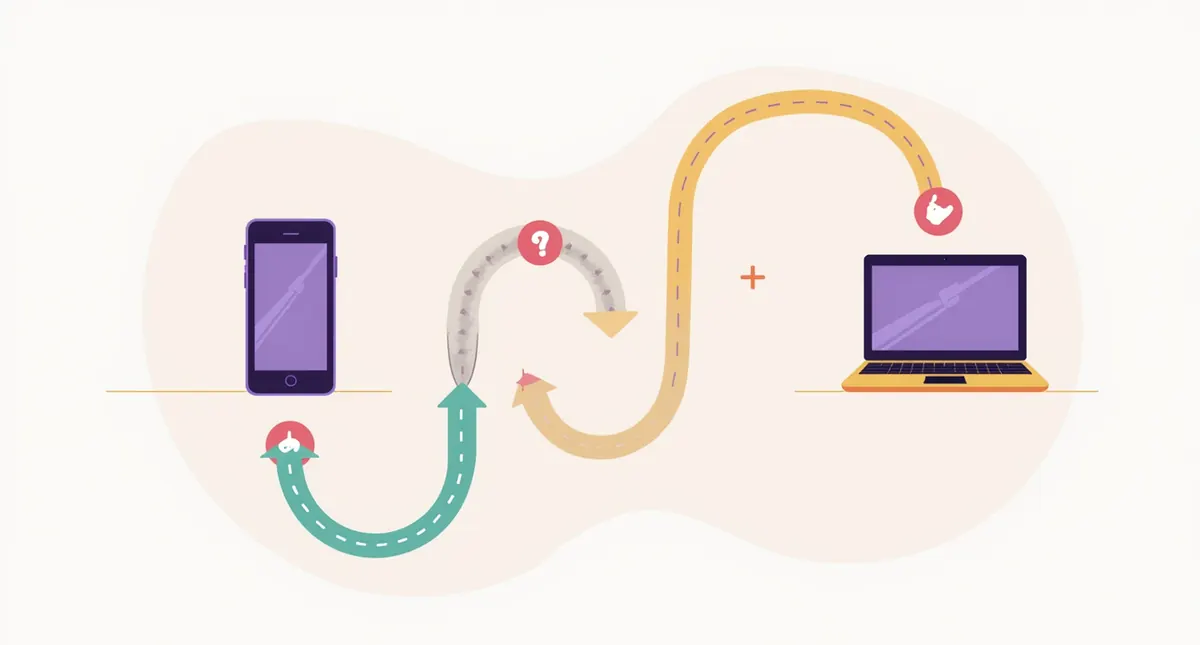
It also means one set of updates. When your hours change, you change them once.
Problems and fixes at a glance
| Problem | What the visitor feels | What a responsive build does | Quick check |
|---|---|---|---|
| Small text | Squinting, pinching | Sets layout to device width, readable text | Read first paragraph, no zoom |
| Sideways scroll | Lost, annoyed | Stacks columns, caps image width | Swipe down, watch for drift |
| Tiny buttons | Frustrated taps | Larger, spaced tap targets | Tap menu, phone, main button |
| Missing content | Cannot find answers | Same content on all screens | Compare desktop and phone |
| Heavy pages | Waiting | Smaller files for small screens | PageSpeed Insights, mobile tab |
| Hard forms | Giving up | Short forms, right keyboard, tap to call | Complete your own form |
| Different on each device | Doubt | One site, one set of pages | View on phone and laptop |
What responsive design will not fix
Layout is only one part of user experience. It will not fix these.
- A headline that does not say what you do. People leave in the first seconds if they cannot tell.
- Weak visual order. If everything is the same size, nothing stands out. See our post on the principles of good website design.
- Slow hosting or heavy scripts.
- Missing proof, such as reviews and real photos.
- A confusing path to the contact page.
For help with the first screen, read what a small business homepage should include.
How to see if your experience is working
You do not need to guess. A few free tools show how phone visitors behave.
- Google Analytics: compare phone and desktop visitors. Look at how many take an action, such as a call or a form, on each. If phones lag far behind, something on the phone version is getting in the way.
- Google Search Console: see how your pages perform in search and check for problems. It is free and shows search queries and alerts.
- Real people: hand your phone to a friend and ask them to find your hours and call you. Do not help. Watch where they hesitate.
Do not read too much into small changes. A few weeks of data on a small site can swing a lot. Look for large, steady gaps.
A 15-minute phone audit
Set a timer and do this with your own phone. Use mobile data, not Wi-Fi, so you see what a customer on the road sees.
- Minutes 0 to 2: search for your business and your main service plus your town. Tap your own site from the results.
- Minutes 2 to 5: do not zoom. Read the headline and first paragraph. Find your phone number and tap it.
- Minutes 5 to 8: open the menu. Visit your top three service pages. Watch for sideways drift.
- Minutes 8 to 11: fill out your contact form. Note every field that annoyed you.
- Minutes 11 to 13: scroll to the bottom. Tap three footer links.
- Minutes 13 to 15: rotate the phone to landscape. Check that nothing breaks.
Write down what you found. A list of ten small annoyances is a normal result. It is also a clear to-do list for a developer.
Common mistakes
- Judging the site only on a large monitor.
- Testing in a resized desktop browser and never on a real phone.
- Hiding content on mobile to make the page shorter.
- Adding pop-ups that cover the page on a small screen. Google lists avoiding intrusive interstitials in its page experience checklist.
- Setting font sizes so small that people must zoom.
- Using images with text baked in, which cannot scale or be read by assistive tools.
Frequently asked questions
Is responsive design the same as good user experience?
No. Responsive design is the foundation. It makes the layout fit. Good user experience also needs clear words, a simple path, fast pages and proof that you are trustworthy.
Does responsive design help my search results?
It removes problems. Google recommends it, and Google says good page experience does not promise top results. Google also advises against chasing perfect scores only for SEO. See our local SEO guide for what moves the needle.
Can I make my existing site responsive?
Sometimes. If the theme is recent, a developer can often fix the menu, images and spacing. If the site is built on a fixed-width design from long ago, a rebuild may cost less than patching. Our refresh vs. redesign vs. rebuild guide explains the choice.
What screen sizes should I test?
Test a small phone, a large phone, a tablet and a desktop. Then zoom the desktop browser in to 400 percent to check how the layout reflows.
Is a separate mobile site or an app better?
For most small businesses, no. A second site is double the upkeep, and few customers will install an app to find your hours. One responsive site is easier to keep right.
Next steps
- Pick your three most visited pages.
- Run the quick check from each of the seven problems on a real phone.
- Write down every issue, with a screenshot.
- Fix the easy ones first: tap-to-call, button size and image width.
- Decide if the rest is a repair or a rebuild.
If you want a second set of eyes, our free website teardown reviews your site as a visitor sees it. Or book your strategy call and we will go through it with you.
Related guides
- Small Business Web Design: The Complete Guide
- What Is Responsive Web Design?
- 10 Mobile-Ready Website Checks
- What a Small Business Homepage Should Include
- Our web design service
Book your strategy call
Webfactory Media is a Carlisle, PA agency that also works with businesses across the country. If you want a clear plan for your website, book your strategy call and we will look at your site with you. You can also see how we work on our Carlisle web design page.