You already have a list, or you are about to. Now you want more people to open, read and click. These email marketing tips focus on that. They cover what to fix first so your messages reach the inbox and get a reply.
The short answer: get delivery right, then make the subject line clear, send to smaller groups, ask for one action, test one change at a time and judge results by clicks. Stay inside the law the whole way.
This post is about getting more from a list you have. If you are still setting one up, start with our guide to email marketing for small business and come back.
In this post
- In this post
- Tip 1: Get into the inbox before you write a word
- Tip 2: Write a subject line that says what is inside
- Tip 3: Send to smaller groups, not one big list
- Tip 4: Ask for one thing per email
- Tip 5: Send on a steady schedule you can keep
- Tip 6: Judge your results by clicks, not opens
- Tip 7: Follow the rules and keep your list clean
- How to test without a big list
- A one-month plan
- Email marketing tips: common mistakes to avoid
- Next steps
Tip 1: Get into the inbox before you write a word
The best email in the world does nothing if it lands in spam. Fix delivery first.
Google lays out clear rules for anyone who emails Gmail users. Since February 1, 2024, Google’s email sender guidelines ask every sender to set up SPF or DKIM authentication. Senders who send more than 5,000 messages a day to Gmail need SPF, DKIM and DMARC. Google also says to keep your spam rate in Postmaster Tools below 0.30%, and below 0.10% is the better goal.
Most small businesses send far fewer than 5,000 a day. The rules are still a good checklist. Mail that is properly signed looks real to inbox providers.
Here is what to do:
- Use a real email platform. Tools like Mailchimp, MailerLite or ActiveCampaign sign your mail for you once you connect your domain.
- Connect your domain. Your platform will give you DNS records to add. Your web host or your web designer can paste them in.
- Send from your own domain. Use a name like [email protected], not a free Gmail address, for marketing email.
- Make unsubscribing easy. Put a clear link in every message. For large senders, Google requires one-click unsubscribe. It is a good habit for small ones too.
- Watch complaints. If people mark your email as spam, your messages reach fewer inboxes next time.
Plain-English check
If you are not sure whether your domain is set up, send a test email to a Gmail address, open it, and choose “Show original.” Look for PASS next to SPF and DKIM. If you see FAIL, ask the person who manages your domain to fix it.
Tip 2: Write a subject line that says what is inside
People decide in a second. The subject line has one job: get the right person to open.
Mailchimp suggests no more than 9 words and 60 characters for a subject line, since short lines read better on a phone. It also says to keep to three punctuation marks or fewer and one emoji at most. Too many marks can make a message look like spam.
Use these simple rules:
- Be specific. “Spring tune-up spots open this week” beats “Big news.”
- Lead with the useful word. Many phones cut off the end.
- Match the email. A subject line that misleads is also against the law (see Tip 7).
- Add preview text. This is the short line after the subject. Use it to add one more reason to open.
- Skip all caps and fake urgency. If the deadline is not real, do not say it is.
Here are examples for a few kinds of local business. They are samples to adapt, not results.
| Business | Weak subject line | Stronger subject line |
|---|---|---|
| HVAC company | Newsletter #14 | Is your furnace ready for November? |
| Dental office | Our latest update | 3 ways to keep your kids’ teeth cavity-free |
| Landscaper | Big sale! | Book spring cleanup before the calendar fills |
| Accountant | News from our office | The 4 tax papers to gather this month |
Tip 3: Send to smaller groups, not one big list
One message to everyone means the message fits almost no one. Segmenting means splitting your list into groups. Then each group gets something that fits.
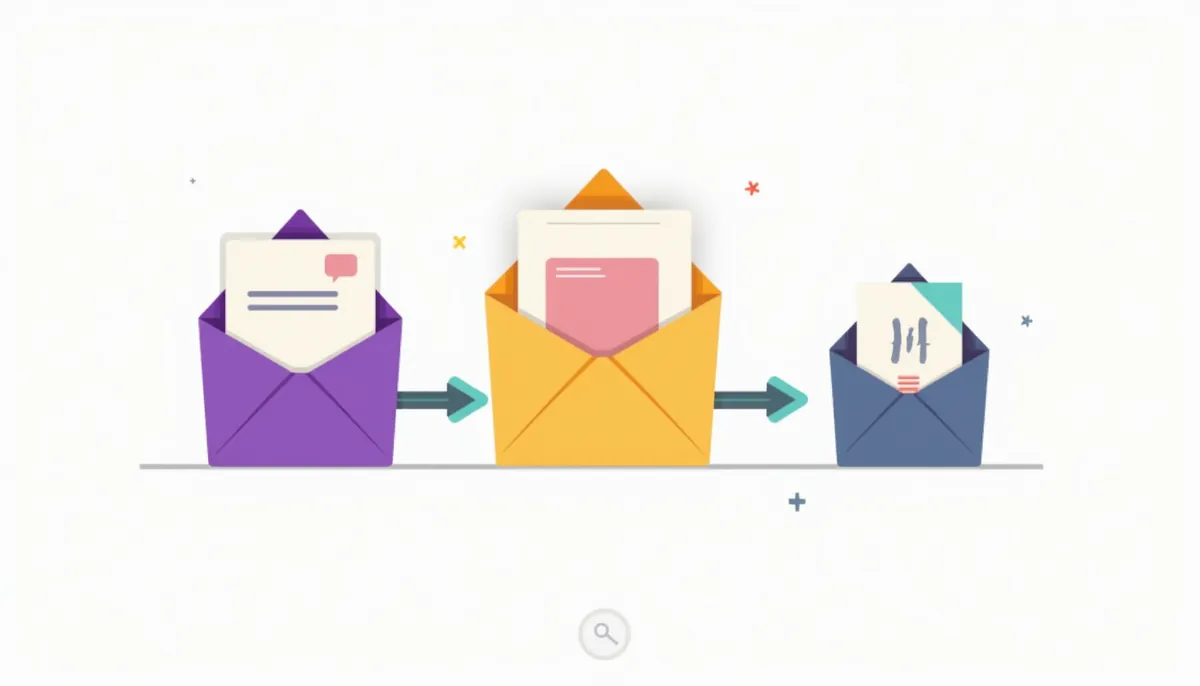
You do not need fancy software. Start with three groups:
- New subscribers. They just joined. Send a welcome series.
- Current customers. They bought from you. Send tips, check-ins and review requests.
- Past customers or cold leads. They have gone quiet. Send a “we miss you” note or a useful reminder.
Once you have those, you can split further by what people asked for, where they live, or what they bought. A roofing company might separate homeowners who asked about repairs from those who asked about a full replacement. Each group wants a different next step.
Mailchimp explains how this works in its guide to double opt-in. When someone signs up, you can send a confirmation link they click to verify their address. Mailchimp says this extra step can help improve open rates. It also keeps typos and fake addresses off your list. Ask on the sign-up form what the person wants, and you have your first segment for free.
Tip 4: Ask for one thing per email
A common mistake is to pack an email with five links and three offers. The reader then does nothing.
Pick one goal per email. Examples: read a post, book a call, claim a seasonal slot, leave a review.
Use this simple shape:
- One-line opener. Say why you are writing.
- Two or three short paragraphs. Give the useful part.
- One clear button or link. Use words that say what happens next, like “See open dates.”
- A short sign-off. Use a real name.
Keep paragraphs to two or three lines. Most people read on a phone. If your email needs a landing page, make it match. Our landing page guide and our post on how many form fields to use show how.
Review requests work well as a single-goal email
After a job is done, send one short note that asks for a Google review and links straight to it. Our guide to getting more Google reviews covers the rules so you ask the right way.
Tip 5: Send on a steady schedule you can keep
There is no magic number of emails per month. The right rhythm is the one you can keep for a year.
- Pick a cadence. Twice a month works for many small businesses. Weekly is fine if you have enough to say.
- Plan three months of topics. Use your customers’ questions as the list.
- Mix helpful and promotional. Teach more often than you pitch.
- Time it to your business. A lawn care company should email before the season, not after.
If you send often to a list that does not know you, complaints go up. If you go months without sending, people forget who you are. Either way, you lose trust.
Not sure what to write? Turn your best website content into emails. Our guide on how to write website content shows how to find the questions customers ask. A good answer on your site often makes a good email too.
Tip 6: Judge your results by clicks, not opens
Many owners watch open rate. It is less reliable than it looks.
Mailchimp’s page on open and click rates explains that opens are tracked with a tiny image that loads when someone opens the message. It says this is not 100% accurate. It also says Apple’s Mail Privacy Protection can falsely inflate open and click metrics, and suggests excluding that activity from your reports.
So look at what people do:
- Click rate. How many delivered emails got at least one click.
- Replies. A reply is the best signal there is.
- Calls and form fills. Track which emails lead to a contact. Our post on tracking calls and forms explains the idea. It is about ads, but the same thinking applies to email links.
- Unsubscribes and spam complaints. A rise tells you something is off.
Add a tracking tag to links so your analytics show which email sent the visitor. Then you can see which topics bring real leads, not just curious readers.
Tip 7: Follow the rules and keep your list clean
Email marketing is regulated. The Federal Trade Commission’s CAN-SPAM compliance guide lists the rules. Here are the main ones, in plain words:
- Do not use false or misleading header information.
- Do not use deceptive subject lines.
- Say that the message is an ad.
- Include a valid physical postal address.
- Tell people how to opt out of future marketing email.
- Honor opt-out requests promptly. The FTC says this means within 10 business days.
- Watch what others do for you. If you hire someone to send, you are still responsible.
The FTC says each separate email in violation can bring penalties of up to $53,088. It also says the law makes no exception for business-to-business email.
Keep your list healthy too:
- Email people who asked. Do not buy lists.
- Remove addresses that bounce. Repeated bounces hurt your reputation.
- Pause people who never engage. Try one “still want these?” email, then stop sending to those who do not respond.
- Keep records. Note when and how each person signed up.
This is general information, not legal advice. If you sell in regulated fields, ask your attorney.
How to test without a big list
A/B testing means sending two versions to see which does better. With a small list, results are noisy. Use these rules so you do not fool yourself:
- Change one thing. Subject line, button text or send day. Not all three.
- Pick a goal first. Clicks, not opens.
- Run it more than once. One result can be luck.
- Write it down. Keep a simple log of what you tried and what happened.
A one-month plan
- Week 1: Connect your domain and check authentication. Add an unsubscribe link and your address to the footer.
- Week 2: Split your list into three groups. Write down one goal for each.
- Week 3: Send your first single-goal email. Use a specific subject line under 60 characters.
- Week 4: Look at clicks, replies and unsubscribes. Pick one change to test next month.
Email marketing tips: common mistakes to avoid
- Sending from a no-reply address, so people cannot answer.
- Using the same message for every customer.
- Putting everything in one image with no text. Many people block images.
- Changing your “from” name often, so people do not recognize you.
- Skipping the mobile check. Send a test to your own phone.
- Judging success by opens alone.
Frequently asked questions
How often should a small business send email?
Pick a pace you can keep. Twice a month works for many businesses. Weekly works if you have enough useful things to say. Steady beats frequent.
What is a good subject line length?
Mailchimp suggests no more than 9 words and 60 characters. Shorter lines also fit better on phones.
Do I need DMARC if I send small batches?
Google requires SPF, DKIM and DMARC only for senders above 5,000 messages a day to Gmail. Every sender should set up SPF or DKIM. DMARC is a good addition, and your domain manager can add it.
Can I email people who bought from me once?
In the US, CAN-SPAM covers marketing email even to customers. Include your address, an honest subject line and an easy unsubscribe link. Honor opt-outs within 10 business days. Ask a lawyer about special cases.
Is open rate still worth watching?
Use it as a rough guide only. Apple Mail Privacy Protection can inflate it. Clicks, replies and calls tell you more.
Should I use AI to write my emails?
It can help with a first draft. You still need to check facts, add your own voice and make sure the offer is real. See our post on AI lead follow-up for where automation fits.
Next steps
Pick one tip and do it this week. If delivery is your weak spot, start with Tip 1. If your messages get opened but nobody acts, start with Tip 4.
Want a plan for email, content and your website working together? Learn more about our content marketing services and digital marketing services. You can also run our free website teardown to see what your site does well and where it loses visitors.
Want help with this in Carlisle or Central PA?
Webfactory Media is a Carlisle, PA agency. See our content marketing in Carlisle and content marketing services pages, or call (888) 849-2397 and we will look at your site for free.