
Start by identifying your biggest workflow bottlenecks and setting SMART automation goals. Select a CRM platform with strong integration capabilities that matches your specific needs. Clean and standardize your data before migration. Map your legacy processes into automated workflows using triggers and actions. Implement changes in phases, starting with one department. Test thoroughly with real users and measure ROI through specific metrics like shortened sales cycles. Your path to streamlined operations begins with these strategic steps.
Key Takeaways
- Assess current workflow pain points and establish clear SMART goals aligned with business strategy before implementing automation.
- Select a CRM platform with strong automation capabilities that integrates well with existing systems and can scale with your business.
- Clean and standardize your data before migration, ensuring proper formatting and removal of duplicates and outdated information.
- Map legacy manual processes to automated workflows using a phased approach, starting with small, high-impact areas.
- Test automated processes thoroughly with real users and measure ROI through key performance indicators like time savings and conversion rates.
Assessing Your Current Manual CRM Workflow Pain Points

Before jumping into automation, you’ll need to identify what’s actually broken. Start by tracking where your team wastes the most time on repetitive tasks.
Look for these critical issues:
- Workflow bottlenecks causing sales delays (often in data entry or approval stages)
- Data inconsistencies between departments that create confusion
- Manual errors that damage customer relationships
- Negative customer feedback about response times
Document process redundancies where team members duplicate work unnecessarily.
Map your entire sales process to find communication barriers between marketing and sales teams.
Don’t forget to assess training gaps! Many manual processes exist because staff don’t know better alternatives.
The most successful CRM automation projects start with painful truths. Find what’s hurting your business most – then fix that first!
Identifying these pain points before implementation ensures proper CRM customization and configuration tailored to your specific sales challenges.
Establishing Clear Automation Goals and Success Metrics

Once you’ve identified your pain points, you’ll need concrete goals to guide your automation path. Start with goal alignment—connect your automation objectives directly to your larger business strategy. Define what success looks like with specific numbers and timeframes! Focusing on metrics that provide real business value helps ensure you avoid tracking vanity metrics that don’t contribute to long-term success. Additionally, leveraging digital marketing strategies can significantly enhance your overall automation effectiveness.
Key Metric Categories to Track
| Category | Examples | Impact |
|---|---|---|
| Efficiency | Time saved, error reduction | Operational savings |
| Engagement | Open rates, CTR | Customer relationship quality |
| Revenue | ROI, conversion rates | Bottom-line growth |
Metric definition isn’t just about numbers—it’s about choosing measurements that matter to YOUR business. Don’t track everything! Pick 3-5 metrics that directly connect to your pain points.
Remember: You can’t improve what you don’t measure. Make your automation goals SMART—specific, measurable, achievable, relevant, and time-bound.
Selecting the Right CRM Platform for Your Automation Needs
You’ll need a CRM that fully supports your automation vision without requiring constant workarounds.
Compare each platform’s automation features against your specific business processes to guarantee perfect alignment.
Look beyond current needs to evaluate how well the CRM will integrate with your growing tech stack and scale alongside your expanding automation requirements. In today’s market, choosing a system with AI capabilities can significantly enhance your CRM’s effectiveness through predictive analytics and personalized customer engagement.
Feature Compatibility Assessment
Selecting the right CRM platform requires thorough evaluation of automation features that align with your business goals. Start by conducting a feature prioritization exercise to identify must-have versus nice-to-have capabilities.
Your usability assessment should focus on workflow automation potential and AI integration options. Modern CRM automation tools have become essential for businesses to maintain a competitive edge in today’s market.
- Save 200+ hours yearly with the right automation tools that eliminate repetitive tasks!
- Reveal customer understanding that human analysis might miss through AI-powered analytics!
- Boost team adoption rates by choosing interfaces they’ll actually want to use!
- Future-proof your investment with platforms that grow alongside your business needs!
Remember that free plans often limit users to three people. Higher-tier plans disclose powerful features like multichannel communication support and advanced workflow automation.
Choose wisely!
Automation Capacity Evaluation
Evaluating a CRM’s automation capacity requires deep analysis beyond surface-level features.
You need to conduct a thorough automation readiness assessment first!
Start by measuring your CRM against these key factors:
- Business alignment – Does it support your specific goals?
- Process complexity handling – Can it manage your workflow depth?
- Customization options – How easily can you adapt it?
Your process optimization evaluation should examine scalability potential.
Will this system grow with you?
Don’t get stuck with technology that limits your future!
Check vendor support quality too.
The best automation tools become useless without proper implementation guidance.
Consider building a detailed scoring system to objectively evaluate each CRM against your automation requirements.
Remember: Fancy features mean nothing if they don’t match your actual needs.
Focus on practical capacity that delivers real efficiency gains!
Integration Scalability Potential
Beyond automation capacity lies the make-or-break factor for your CRM success: integration scalability potential!
When selecting your CRM platform, you need a solution that grows with your business without causing headaches. Remember that 73% of CRM integration projects fail or exceed budgets when scalability isn’t prioritized. Platforms that utilize AI-driven workflows enable you to deliver tailored customer experiences even as your database expands.
Look for platforms that offer:
- Future-proof flexibility – Choose cloud-native solutions that expand instantly without disrupting operations!
- Built-in AI capabilities – Enhance customer satisfaction by 20% while slashing manual work!
- Seamless connectivity – Avoid integration challenges by selecting systems with strong API support!
- User-friendly interfaces – Drive user adoption with intuitive designs that don’t require PhD-level training!
Your CRM shouldn’t just work today. It must scale brilliantly for tomorrow’s demands too!
Creating a Data Cleanup Strategy Before Migration

Assess Your Current Data Quality
Start with a thorough audit to identify data accuracy issues. Spot duplications and outdated information that create migration challenges. Subpar data quality becomes a significant obstacle when migrating to a new CRM system without proper data management.
Evaluate field completeness and set clear quality benchmarks!
Clean and Standardize
Remove duplicates! Correct inconsistent formatting across phone numbers and dates.
Update outdated contact details to enhance engagement success.
Back Up Everything
Secure encrypted backups before touching anything.
Create rollback procedures for quick recovery if needed.
Define Your Migration Scope
Categorize essential data segments.
Choose between incremental or full migration approaches.
Verify After Cleanup
Run quality tests comparing source and target data.
Check that attachments and history notes transferred completely.
Mapping Legacy Processes to Automated Workflows
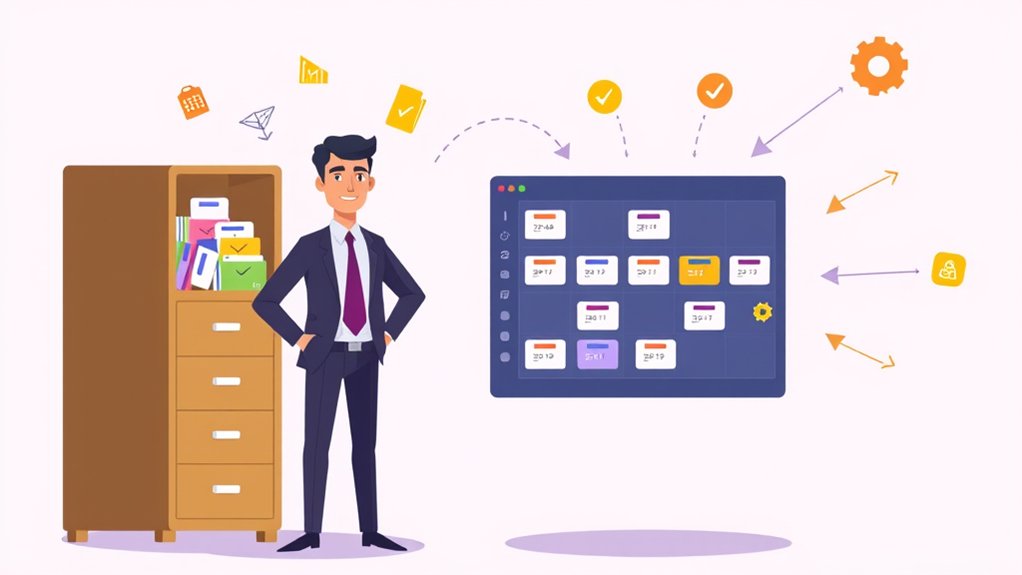
Before diving into automation, mapping your legacy processes is essential! Legacy process mapping creates a foundation for successful migration. Document each step thoroughly. Identify which manual tasks can change into automated workflow modeling components. Break down complex processes into triggers, actions, and outcomes.
- Time-saving magic! You’ll cut hours of manual work by identifying repetitive tasks first. This approach mirrors the benefits of website maintenance services, where regular updates streamline operations.
- Error reduction celebration! Watch your data accuracy soar when manual entry becomes automated.
- Customer delight enhancement! Automated responses mean faster service and happier clients.
- Team authorization win! Your staff will love focusing on strategy instead of data entry.
Assign clear ownership for each workflow component. Track data movement carefully. This visibility guarantees nothing falls through the cracks during your shift to automation. Consider implementing conditional logic in your workflow design to create more dynamic and personalized automated processes that respond differently based on specific criteria.
Implementing a Phased Migration Approach

While rushing into full automation might seem tempting, a phased migration approach delivers considerably better results! Start small with non-critical functions or a single department. This minimizes disruption and builds confidence.
Create a smart rollout strategy:
- Begin with pilot testing to catch issues early
- Expand to additional teams based on user readiness
- Implement critical functions only after proving success
- Build integration points gradually
- Focus on high-impact areas that will maximize user engagement and satisfaction.
Your phased rollout should prioritize high-impact areas after initial testing. Planning migrations to avoid vital fundraising efforts will protect your organization’s revenue during the transition period. Collect user feedback after each phase—it’s gold! Use this intelligence to refine your approach.
Remember: You can always adjust specific components without disrupting the entire system. Small wins build momentum! Each successful phase creates champions who’ll help drive your automation forward.
Testing Automated Processes With Real-World Scenarios

Now that your phased approach is established, real-world testing becomes your next power move! You need realistic data and strong testing scenarios to validate your automated CRM processes actually work under pressure.
Incorporate user feedback early by involving team members who use the system daily. Their observations reveal issues automated tools might miss!
Implementing User Acceptance Testing allows actual end-users to verify the system meets their expectations and validates real business requirements.
- Wow your stakeholders with thorough testing that catches 95% of potential errors before launch!
- Protect your reputation by ensuring perfect data privacy compliance during all testing phases!
- Slash implementation time by using automated tools that generate test scenarios in minutes not days!
- Boost user adoption by confirming the system handles real user behavior patterns flawlessly!
Balance automated and manual testing methods. Track performance metrics religiously. Your error handling must shine when unexpected situations arise!
Training Your Team on New Automated CRM Functions

Success with your new CRM automation depends entirely on your team’s ability to use it! Change users into power users with these targeted approaches:
Create role-specific training for each department. Sales needs different guidance than customer service!
Offer multi-modal formats that cater to diverse learning styles:
- Interactive video tutorials
- Live demos with Q&A
- Self-paced e-learning modules
Implement hands-on scenarios**** using real data. People learn best by doing! Set up practice environments where mistakes don’t matter.
Establish ongoing support systems through:
- Internal champions who become go-to experts
- Regular refresher sessions
- Quick-reference guides for common tasks
Track progress with certifications and celebrate wins!
Gamify the experience with challenges and rewards to enhance engagement.
Measuring ROI and Performance Improvements Post-Migration

Tracking your automation results proves your investment was worthwhile! After migrating to an automated CRM, measure specific ROI metrics to showcase your success.
Calculate your return using the simple formula: ROI = (Revenue Generated – Cost of CRM automation)/Cost of CRM automation × 100%. Track Performance Indicators like shortened sales cycles and improved lead conversion rates to quantify Automation Benefits.
- THRILLING efficiency gains! Your team saves 15+ hours weekly on manual data entry!
- SKYROCKETING revenue impact! Watch customer lifetime value grow by 24%!
- DRAMATIC cost savings! See customer acquisition costs drop by 30%!
- INCREDIBLE team productivity! Sales reps handle 40% more leads with automation!
Monitor Customer Engagement scores monthly. Retention Strategies powered by automation will slash churn rates.
Sales Optimization happens naturally as your pipeline velocity increases! Additionally, these benefits often lead to higher likelihood of conversions due to pre-existing interest in your services.
Scaling Your CRM Automation for Future Growth
As your business grows, your CRM automation must evolve too!
You’ll need a modular expansion strategy that lets you add features without disrupting existing workflows.
Your system should offer cross-platform integration capabilities to connect with new tools as your tech stack expands.
Future-proof your automation by selecting platforms that support your anticipated growth path and emerging customer engagement channels.
Scaling Your CRM Automation for Future Growth
Building a future-proof CRM automation strategy requires thoughtful planning and strategic vision. Your CRM must evolve alongside your business.
Strategic scalability means adopting cloud-based platforms that handle increasing data loads without performance issues. You’ll need AI-driven tools that grow with you.
Future proofing automation isn’t just about technology. It’s about building processes that expand seamlessly.
- 📈 Feel the thrill of watching your team reclaim 33% of their time from administrative tasks!
- 🌍 Imagine the confidence of expanding globally with multilingual support already in place!
- 🔄 Experience the relief of systems that adapt without constant overhauls!
- 💰 Enjoy the satisfaction of seeing automation ROI improve by 20% year over year!
Regular audits prevent data bloat. Phased rollouts minimize disruption.
Your automated CRM becomes your growth engine!
Modular Expansion Strategy
The modular approach revolutionizes how you’ll scale your CRM automation. Break down your complex processes into manageable components that grow with your business!
Design with the future in mind:
- Create distinct modules for sales, marketing, and service functions
- Link modules logically to maintain workflow optimization
- Prioritize high-impact areas first (lead conversion, sales cycle reduction)
Your modular design should connect seamlessly with existing tools. This prevents data silos while enabling quick additions as needs change.
Measure everything! Track KPIs for each module to identify improvement opportunities. When your real estate team needs to add property management features, you’ll simply plug in a new module—no system overhaul required.
Remember: Start small. Build modules that solve today’s problems while laying groundwork for tomorrow’s growth.
Cross-Platform Integration Capabilities
Connect your CRM with every business tool in your arsenal: This is the power of cross-platform connectivity! When your systems communicate with each other, you’ll eliminate data silos instantly.
Real-time data synchronization guarantees your team always works with current information across all platforms.
- Feel the relief when customer data updates automatically across ALL systems!
- Experience the confidence of making decisions based on truly up-to-date information!
- Enjoy the freedom from tedious manual data entry that wastes your priceless time!
- Celebrate the wins as your team responds faster to customer needs!
Link your CRM to ecommerce platforms, ERP systems, marketing tools, and project management software.
This integration creates a unified ecosystem where information flows seamlessly. Your business becomes more responsive. Your customers notice the difference. Your competition falls behind.
Conclusion
You’ve done it! You’ve changed manual drudgery into streamlined efficiency. Your team works smarter, not harder. Your customers receive faster responses. Your data tells meaningful stories. Your business grows without growing pains. The path from manual to automated isn’t just about technology—it’s about evolution. Welcome this new chapter, celebrate your wins, and keep optimizing your CRM. The future of your customer relationships is bright!