To save time and money with AI automation, you have to measure it, because the claims are easy to overstate. It saves time when it takes over a repeated task and you spend less time checking than you saved. It saves money when that time is reused, or when it cuts waste or a paid service. This guide shows where real savings come from, what the better research says, and a five-step method with worked math so you can see your own number. Updated October 2026. It is part of our AI marketing automation guide.
Table of contents
- What the best data says about time saved
- How to save time and money with AI automation: four sources
- Where the savings do not come from
- The five-step method
- A hypothetical worked example: an office task
- A second example: owner time that only counts if you use it
- The hidden costs
- Fast wins and slow wins
- Ways to save money that are not about time
- Mistakes to avoid
- Frequently asked questions
- Next steps
What the best data says about time saved
Many online claims say AI saves “10 to 25 hours a week.” Most come from companies that sell the tools. Here is a better benchmark.
The Federal Reserve Bank of St. Louis surveyed U.S. workers in November 2024. Among people who used generative AI, the average time saved was 5.4% of their work hours. For a 40-hour week, that is about 2.2 hours. Counting all workers, including people who do not use AI, it was 1.4% of total hours. Daily use made a big difference: among workers who used generative AI every day in the previous week, 33.5% said it saved them four hours or more, compared with 11.5% of those who used it only one day. The authors note that the study measures time saved, not the quality of the work. Read the St. Louis Fed analysis.
What that means for you: plan on a couple of hours a week for someone who uses AI well, on the right tasks. Bigger savings are possible when you automate one specific repeated task. Treat any promise bigger than that with care.
How to save time and money with AI automation: four sources

There are four places to look.
- Time on repeated tasks. Typing the same reply, copying details between tools, writing first drafts, summarizing calls.
- Faster responses. A quick first reply to a new lead may help you win work you would otherwise lose. This is revenue protection, not cost cutting, and it varies by business.
- Fewer errors and less rework. Automated reminders and checklists can cut missed steps. Only count it if you have seen the errors.
- Less paid help for small jobs. Some owners stop paying for routine tasks they can now handle in minutes. Count it only if you really stop paying.
Where the savings do not come from
Be honest about the other side.
- Review time. AI drafts need checking. That time is part of the cost.
- Learning time. The first weeks are slower, not faster.
- Subscription creep. Five small plans add up. The U.S. Chamber of Commerce found a median of $250 a month among small businesses that pay for AI. See the Chamber’s 2026 report.
- Rework from errors. One wrong message can cost more than a week of savings.
- Time that is saved and then wasted. An hour saved is not money unless you use it on something that pays.
The five-step method
Step 1: Log the task for a week
Pick one task. For five working days, write down how many minutes it takes each time and how often it happens. Use a simple table.
| Day | Times done | Minutes each | Total minutes |
|---|---|---|---|
| Monday | 6 | 8 | 48 |
| Tuesday | 5 | 8 | 40 |
| Wednesday | 7 | 7 | 49 |
| Thursday | 4 | 9 | 36 |
| Friday | 6 | 8 | 48 |
The numbers above are an example. Your total here would be 221 minutes, or about 3.7 hours a week. Use your own.
Step 2: Put a price on the hour
Use what the time costs you. For an employee, that is wages plus the extra costs of employing them. For you as the owner, use what an hour of your best work earns. Be honest. If you cannot sell more with the saved hour, its value is lower than your best rate.
Step 3: Estimate hours saved, then cut it in half
Guess how many minutes the tool could save. Then halve the guess. Early on, you will spend time on checking and fixing. You can raise the number later if the real data says so.
Step 4: Subtract all the costs
Net savings are what is left after you subtract:
- the subscription or usage fees,
- the time you spend reviewing and fixing,
- the setup time, spread over the first year.
Step 5: Check again after 30 days
Time the task again. Compare it with your Step 1 log. Keep the tool if the net number holds. Change it or drop it if not.
A hypothetical worked example: an office task
This is an example with round numbers. It is not a result from a real business. Swap in your own numbers.
An office coordinator spends 6 hours a week writing routine replies and reminders. A free or low-cost assistant plus message templates might cut that by about 2 hours. After halving a more hopeful guess, we use 2 hours. The coordinator’s time costs $25 an hour.
| Line | Math | Per year |
|---|---|---|
| Time saved | 2 hours x $25 x 52 weeks | $2,600 |
| Tool cost | $20 a month x 12 months | minus $240 |
| Review time | 0.5 hour a week x $25 x 52 weeks | minus $650 |
| Net saving | $2,600 minus $240 minus $650 | $1,710 |
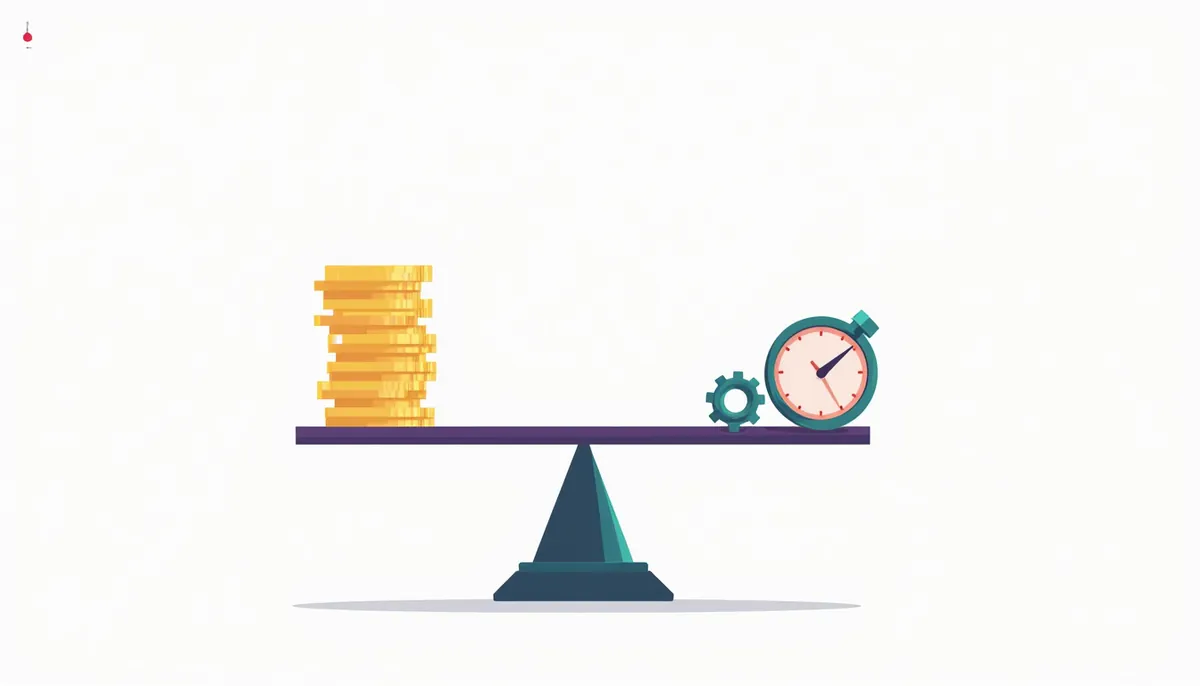
So the gross saving of $2,600 shrinks to $1,710 once you subtract the tool and the checking time. That is still a gain, and it is a more honest one. It is also only real if the 2 hours go to useful work, or if overtime or outside help goes down.
Payback period
If setup takes 10 hours at $25 an hour, that is $250 of setup time. Divide by monthly net savings. Here the net is $1,710 a year, or $142.50 a month. Payback is about 1.75 months ($250 divided by $142.50). If your net saving is zero or negative, there is no payback, and you should change the plan.
A second example: owner time that only counts if you use it
Suppose an owner saves 3 hours a week with automated replies and call summaries. The owner’s best-use hour is selling, and an hour of selling is worth $60 in expected profit. This is an assumption.
- If all 3 hours go to selling: 3 x $60 x 52 = $9,360 a year.
- If only 1 hour goes to selling and 2 vanish into other tasks: 1 x $60 x 52 = $3,120 a year.
The difference is what you do with the time. Decide in advance what the saved hour is for, and put it on your calendar.
The hidden costs

| Hidden cost | What to do |
|---|---|
| Review time | Count it every week |
| Setup and learning | Spread it over the first year |
| Usage caps | Check how the plan counts usage. For instance, Zapier’s free plan includes 100 tasks a month, so a busy workflow can hit the cap fast. See Zapier’s pricing. |
| Per-use pricing | It is hard to predict. Intercom’s Fin AI Agent charges from $0.99 per outcome, so volume drives the bill. See Intercom’s pricing. |
| Cleanup after errors | Track how often you fix something |
| Content that needs fact-checking | Google says, “It is critical to manually factcheck and review all AI-generated content for accuracy and trustworthiness before publishing.” Budget that time. |
Fast wins and slow wins
| Task | How it can save | Confidence |
|---|---|---|
| Appointment reminders | Fewer no-shows and less phone time | High |
| First reply to new leads | Less lost interest | Medium, test it |
| Call and meeting summaries | Less note writing | Medium |
| Drafting emails and posts | Faster first drafts | Medium, edits take time |
| Reading invoices and bills | Less typing | Medium, check totals |
| Replying to every review or message with AI | Some time | Low, quality matters |
| A custom AI project | Unknown | Low until measured |
Confidence here is our general guide, not a measured figure.
Ways to save money that are not about time
- Use free plans until a limit gets in your way. The Chamber found 41% of small businesses use free AI tools.
- Cancel overlap. If two tools do the same job, keep one.
- Fix leaks first. If leads are going cold, a faster reply can protect revenue. Use our Lead Leak Calculator with your own numbers.
- Buy by the job. Pay for a tool during the months you need it.
- Review every quarter. Cancel what you do not use.
Mistakes to avoid
- Using vendor numbers. Use your own log.
- Skipping the review time. It is real cost.
- Counting saved time as cash. It is cash only when reused.
- Automating a task that is already quick. The gain is too small to matter.
- Measuring too soon. Give it a month with a person checking.
Frequently asked questions
How much time can AI save a small business?
The St. Louis Fed found an average of about 2.2 hours a week among workers who use generative AI. Your number depends on the task. Measure your own.
How do I calculate the return?
Multiply hours saved by the hourly value, then subtract tool costs and review time. The five-step method above walks through it.
Is the free version enough?
For testing, often yes. Daily use tends to hit limits. Upgrade when a limit costs you more time than the plan costs.
Will AI cut my payroll?
For small firms, the survey data points the other way so far. In the Chamber’s survey, 47% of owners said AI is creating jobs and 6% said it is enabling headcount reductions. Do not plan on cutting staff. Plan on freeing their time.
What if I do not save anything?
Then stop or change the approach. A test that shows no savings is useful. It cost you little and told you something true.
Where should I start?
Pick one task that repeats weekly. Our post on building your first workflow shows how.
Next steps
Log one task for a week. Work out the net saving with the five steps. If it is positive, keep going. If you want a second opinion on where AI would pay off in your business, book your strategy call. We will go through your tasks, your tools and your numbers, and tell you what is worth doing.
Related guides
- AI Marketing Automation for Small Business: The Complete Guide
- Why Small Businesses Need AI (and When They Do Not)
- Affordable AI Automation for Small Business: Start Free
- 12 AI Tips for Small Business Owners Short on Time
- What Does CRM Automation Cost? What Drives the Price
- Our AI marketing automation service
How many leads are you losing?
Try our free Lead Leak Calculator to see what missed calls and slow follow-up cost your business each month. Then see how our AI marketing automation follows up on every lead for you, or call (888) 849-2397 for a free lead review.
Part of our guide: AI Marketing Automation for Small Business: The Complete Guide.