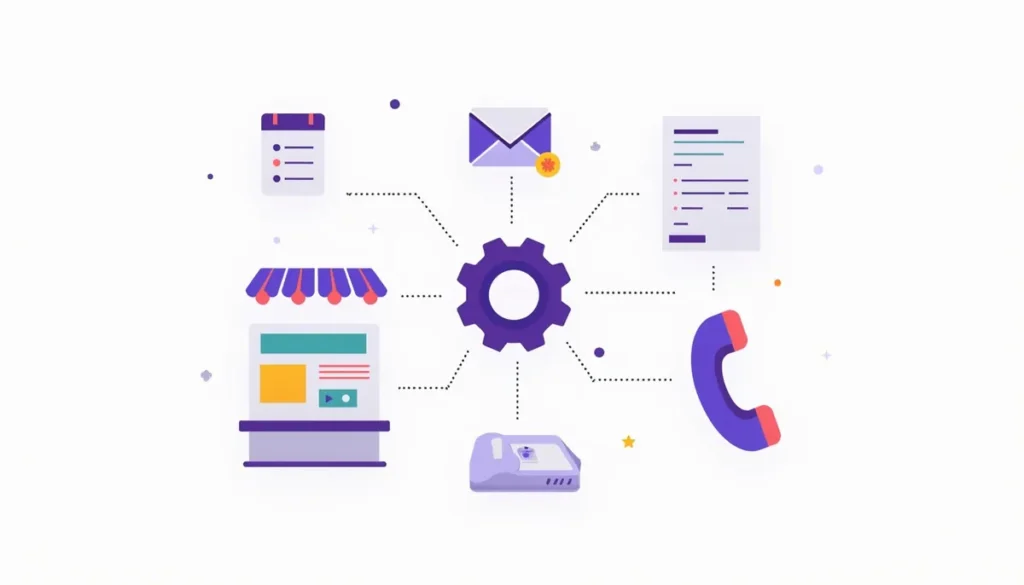
AI marketing automation is software that does the repeat work around your marketing and sales: answering new leads, following up on quotes, sending reminders, updating records and building reports. A person sets the rules. The software follows them every time, including nights and weekends. This guide explains how it works, which tasks to automate first, how to decide between building and buying, what can go wrong, and how to start in 30 days without wasting money.
It is written for owners of local service businesses and other small teams. You do not need a technical background. You do need a willingness to write down how your business already handles leads and customers, because you can only automate a process you can describe.
Every section links to a deeper guide. Use the table of contents to jump to what you need.
Table of contents
- What AI marketing automation is (and what it is not)
- Where small businesses lose time and leads
- The parts of a working system
- Start here: your 30-day roadmap
- Which tasks to automate first
- What it can save: a hypothetical example with the math
- Build vs buy: three ways to get it done
- How to choose tools without getting lost
- Risks and how to manage them
- Common mistakes to avoid
- How to measure whether it works
- Free tools and next steps
- Frequently asked questions
- All our AI and CRM automation guides, by topic
- Ready to put this to work?
What AI marketing automation is (and what it is not)
Two ideas get mixed together, so it helps to separate them.
Automation means a rule runs without a person. When a form is filled out, send a text. When a job is marked done, send a review request three days later. Rules like this have existed for years. They are reliable because they do exactly what you told them to do.
AI means software that can read, write or sort things in a flexible way. It can read a message and tell whether the person wants a quote or has a complaint. It can draft a reply in your voice. It can pull the key facts out of a messy email. It is flexible, which also means it can be wrong in ways a simple rule never is.
AI marketing automation puts the two together. Rules decide when something happens. AI helps with the parts that need reading or writing. A person stays in charge of anything risky.
Three levels, from safest to most flexible
| Level | What it does | Example | Main risk |
|---|---|---|---|
| Rule-based automation | Runs a fixed step when something happens | A missed call triggers a text with a booking link | Low. It only does what you set |
| AI-assisted | AI drafts or sorts, a person approves | AI drafts a quote follow-up, you approve it | Medium. A draft can be off, but you see it first |
| AI-driven | AI acts on its own inside limits | A chatbot answers common questions on your site | Higher. It can say something wrong without a person seeing it |
Most small businesses should live on the first two rows for the first few months. Move to the third row only for narrow, low-risk jobs, and only after you have watched the system work.
What it is not
- It is not a replacement for knowing your customers. The system repeats what you teach it.
- It is not a fix for a weak offer, a slow website or a business that does not answer leads at all. It makes a working process faster. It does not create a process out of nothing.
- It is not a one-time install. Messages need review, rules need updates and tools change.
If you want the plain-language starting point, read The Beginner’s Guide to AI Automation for Small Business and AI Automation for Small Business: What It Can Do Today.
Where small businesses lose time and leads
Most small businesses do not have a traffic problem first. They have a follow-up problem. People ask for help and then wait, or never hear back. Look for these leaks in your own business:
- A call comes in while you are on a job and nobody calls back the same day.
- A website form is filled out at night and sits until the next afternoon.
- A quote goes out and no one asks whether the customer has questions.
- A booked customer forgets the appointment and you lose the slot.
- Finished jobs never turn into review requests.
- Past customers never hear from you again, so they find someone else next season.
- Someone retypes the same customer details into three different programs.
- Once a week, someone spends an afternoon pulling numbers into a report.
None of these are glamorous. All of them are repeat work, and repeat work is exactly what automation does well.
You can put a rough number on the first group with the free Lead Leak Calculator. It uses your own lead count, close rate and job value, so the result is only as good as the numbers you enter. Treat it as a way to start a conversation with yourself, not as a forecast.
The parts of a working system
A working setup is usually a handful of small pieces connected together, not one big product. Here are the pieces most local businesses end up with.
1. Instant response to new leads
Every form fill, call or message gets a reply within minutes. The reply says who you are, confirms you got the request and asks one useful question or offers a booking link. This keeps the lead from drifting to whoever answers first. The full playbook is in AI Lead Follow-Up: What to Send, When, and What to Skip.
2. Missed call text-back
When a call goes unanswered, a text goes out right away: “Sorry we missed you. What can we help with?” The customer can reply when it is convenient. This works well for trades and home services because the owner is often on a roof or under a sink when the phone rings.
3. Follow-up sequences
If a lead does not book, a short series of texts or emails continues until they book, say no or opt out. Good sequences are short, polite and stop the moment the person replies. Our guide to automating your sales pipeline in a CRM shows how to set up the stages.
4. Reminders and scheduling
Reminders before an appointment and a simple way to reschedule cut down on no-shows and phone tag.
5. Personalized messages
Automated does not have to mean cold. Using the customer’s name, the service they asked about and their town goes a long way. See how to personalize marketing with CRM automation.
6. Reviews, referrals and reactivation
Happy customers get asked for a review at the right moment. Past customers get a helpful note when it makes sense, such as a seasonal service reminder.
7. One system for your data
The tools you already use should pass information to each other, so nobody types the same thing twice. Read the CRM integrations guide and how to move manual work into CRM automation.
8. Simple reporting
A weekly summary that arrives on its own: leads in, leads answered, jobs booked. You see what happened without building a spreadsheet.
If you also want an on-site chat tool, read AI Chatbot for a Small Business Website: Worth It? before you buy one.
Start here: your 30-day roadmap
The biggest mistake is trying to automate everything at once. This roadmap automates one thing, measures it, and then decides what to do next. It fits around a full work week.
Week 1: Find the leak and pick one target
- Keep a simple log for five working days. Every time you repeat a task that follows a pattern, write down the task and how long it took.
- List the last 20 leads you received. For each one, note how fast you replied and whether they booked.
- Circle the single biggest leak. It is usually slow response to new leads or no follow-up on quotes.
- Write one sentence for your goal, such as: “Every new lead gets a reply within five minutes during business hours and by 9 a.m. otherwise.”
- Write down your starting numbers: leads per week, share you answer within an hour, jobs booked. These are your baseline. Without a baseline you cannot tell whether anything worked.
Checklist for the end of week 1: one target chosen, one goal sentence written, baseline numbers saved.
Week 2: Design and build the first workflow
- Write out the steps on paper first. What starts it, what gets sent, what happens if the person replies, what happens if they do not.
- Write the messages yourself. Keep them short and in your normal voice. Use AI to polish them if you like, but you approve every word.
- Decide the handoff rules. Which words or situations should stop the automation and send the lead to a person? Complaints, price disputes, emergencies and anything legal should always go to you.
- Check your tools. If your current CRM, form or phone system can do this, use it. If not, pick one tool and read its terms on data and messaging.
- Build the workflow. Then test it with your own phone number and email. Fill out your own form. Miss your own call. Reply as a customer would. Try to break it.
Checklist for the end of week 2: the workflow runs end to end on test leads, handoff rules work, you have an easy way to switch it off.
Week 3: Go live with a person watching
- Turn it on for real leads.
- Read every message that goes out for the first week. If the volume is large, read a sample each day.
- Keep a short list of problems: wrong name, odd timing, a reply that did not fit. Fix them as you go.
- Tell your team what is happening so no one is surprised when a customer mentions a text.
- Make sure the stop rules work. When a customer says “stop,” they should stop receiving messages.
Checklist for the end of week 3: real leads flowing, problems logged and fixed, no complaints you did not handle.
Week 4: Measure and decide
- Compare against your baseline: response time, share of leads answered, bookings.
- Count the hours saved, using the time log from week 1.
- Subtract what it cost you, including tool fees and your own time to review.
- Decide one of three things: keep it as it is, tune it for another month, or stop and try a different target.
- If it worked, pick the next item from the list in the next section. Do not start two new workflows at the same time.
Checklist for the end of week 4: results written down, a clear keep, tune or stop decision, and a named next target.
If you want a second opinion on where to start, the free Central PA Small Business Website Report and Website Teardown show what is working and what is not on the site that feeds your leads.
Which tasks to automate first
Not every task deserves automation. Start where the work is repetitive, the rules are clear and a mistake is cheap to fix. Skip tasks that need judgment, empathy or a tricky decision.
A quick way to rank your tasks
Score each task from 1 to 3 on four questions, then add them up. Higher totals go first.
- Frequency: how often does it happen? (3 = every day)
- Clarity: can you write the steps down in a few lines? (3 = yes, easily)
- Low risk: how bad is a mistake? (3 = easy to fix and no money at stake)
- Time cost: how much time does it take? (3 = a lot)
The six best first targets
| Task | Why it works early | Risk | Keep a human here |
|---|---|---|---|
| Lead follow-up | Same steps every time, speed matters | Low to medium | Replies from upset or confused leads |
| Scheduling | Clear rules, easy to test | Low | Odd jobs, emergencies, large jobs |
| Reminders | Short fixed messages | Low | Rescheduling disputes |
| Data entry | Copying fields between tools | Low to medium | Spot checks on accuracy |
| Reporting | Pulls numbers on a schedule | Low | Reading what the numbers mean |
| Project coordination | Status updates and task nudges | Medium | Scope changes and client conflicts |
Lead and quote follow-up
This is the highest-value place to start for most local businesses, because every lead you do not answer is a lead you paid to get. Automate the first reply, the “did you get my quote” check and the “still interested?” nudge. Keep the messages human and short. Stop the sequence the moment the customer replies, then let a person take over. See the detailed playbook in AI Lead Follow-Up: What to Send, When, and What to Skip.
Scheduling
Let customers pick a time from your real availability instead of trading five texts. The rules you need: which services can be booked online, how long each takes, how much buffer you need for travel and what the minimum notice is. Automation then handles confirmations and calendar entries. A person still decides anything that does not fit the rules, such as a big job that needs a site visit first.
Reminders
A reminder a few days ahead and another the day before is plain, useful automation. Include the date, the time, the address or a link and a simple way to confirm or reschedule. The same pattern works for invoices that are coming due, seasonal service reminders and warranty check-ins. Keep the tone friendly, not nagging.
Data entry
If someone retypes details from a form into a CRM, then into an invoicing tool, then into a calendar, you have a connection problem. Connect the tools so a new lead creates a contact once and the details flow where they belong. AI can also read an incoming email or a photo of a work order and pull out the name, address and job type. Always spot check the results. A wrong digit in a phone number or address costs you the job. Our CRM integrations guide covers which tools to connect first.
Reporting
A weekly or monthly summary should arrive without anyone building it. Pick three to five numbers that matter, such as leads, response time, booked jobs and reviews received. Let the tool collect them and send them to you. Then spend your time reading and deciding, not copying and pasting. If you do not trust a number, find out where it came from before you act on it.
Project coordination
For jobs with several steps and several people, automation can create the task list when a job is won, nudge the person who owns the next step, send the customer a status update and flag anything that is overdue. This keeps work moving without the owner chasing everyone. It is a medium risk because a wrong message to a client about timing or scope can cause real trouble. Use fixed templates for client updates and review any custom message.
What not to automate yet
- Sensitive conversations such as complaints, refunds and anything that mentions a lawyer.
- Pricing for complex jobs where the answer depends on a site visit.
- Anything where you cannot easily undo a mistake.
- Processes you cannot yet explain on one page. Fix the process first.
For examples from real small business situations, see AI Automation Examples for Small Business You Can Copy and 7 Easy Ways Small Businesses Can Use AI This Week.
What it can save: a hypothetical example with the math
This is a made-up example to show how to think about the numbers. It is not a result from a real client and it does not predict what you will save. Every number below is an assumption you should replace with your own.
The business (hypothetical): a small home services company with one office person. The office person’s time is worth $25 an hour once you include taxes and other costs. That is an assumed round number.
Step 1. Hours spent on repeat work each week (assumed):
| Task | Hours per week now | Hours saved per week (assumed) |
|---|---|---|
| Lead and quote follow-up | 4 | 2 |
| Appointment reminders and rescheduling | 3 | 2 |
| Weekly report | 2 | 1 |
| Data entry between tools | 5 | 2 |
| Total | 14 | 7 |
Step 2. Convert to a month. Use 4 weeks to keep it round. 7 hours a week x 4 weeks = 28 hours a month.
Step 3. Put a dollar value on it. 28 hours x $25 = $700 a month of time freed up.
Step 4. Subtract the ongoing cost.
- Tool fees (assumed): $150 a month.
- Review time (assumed): 1 hour a week to read messages and fix problems. 4 hours x $25 = $100 a month.
- Net monthly value: $700 – $150 – $100 = $450 a month.
Step 5. Deduct the setup cost. Setup takes 20 hours of the owner’s or office person’s time (assumed). 20 hours x $25 = $500, one time. If you pay an outside person to set it up, use their actual quote instead.
- Payback: $500 / $450 = a little over one month.
- First year: 12 x $450 = $5,400, minus $500 setup = $4,900.
Step 6. Test the assumptions. What if the system saves only half as much? Then it saves 3.5 hours a week, or 14 hours a month.
- 14 hours x $25 = $350.
- $350 – $150 tools – $100 review = $100 a month.
- Payback: $500 / $100 = 5 months. First year: $1,200 – $500 = $700.
What this example does and does not tell you
- The savings are real only if the freed time is used well. If the office person simply has idle time, you have not saved cash. You have gained capacity. The value shows up when that time goes to selling, scheduling more jobs, collecting payments or replacing overtime or a new hire.
- The example leaves out the bigger effect. Faster follow-up can win jobs you would have lost. That is harder to predict, so it is not counted here. Use your own job value and close rate to estimate it, and treat the result as a rough guide.
- The thin case still has a positive number, but a small one. That is a reason to pick your first target carefully and to measure.
For the cost side in more detail, see What Does CRM Automation Cost? What Drives the Price and Affordable AI Automation for Small Business: Start Free. For the time side, read How to Save Time and Money With AI Automation (With the Math).
Build vs buy: three ways to get it done
There are three realistic paths. Most small businesses end up with a mix.
| Build it yourself | Buy an all-in-one platform | Hire a partner | |
|---|---|---|---|
| What it means | You connect separate tools with no-code builders | You use one CRM and marketing platform that includes the automations | An outside team designs and runs the system |
| Best for | Owners who like tinkering and have a simple need | Businesses that want one login and fewer moving parts | Busy owners who want it done and maintained |
| Upfront effort | High (your time) | Medium | Low for you |
| Ongoing effort | Medium to high | Low to medium | Low |
| Flexibility | Highest | Medium | High |
| Main risk | It breaks and nobody notices | You outgrow the platform or pay for features you do not use | You depend on someone else, so ownership terms matter |
| Cost shape | Low cash, high time | Monthly fee that often scales with contacts or users | Setup plus ongoing fees, quoted by the partner |
Questions that decide it
- How many hours can you spend on setup and upkeep? If the honest answer is almost none, building yourself is a poor fit.
- How many tools do you already use? The more you use, the more a single platform or a good integration plan helps.
- How much does a missed message cost you? If one lost job costs thousands, reliability and monitoring matter more than saving a few dollars.
- Who will notice when it breaks? Every automation breaks eventually. Name the person who checks.
- Can you leave? Ask where your contacts, messages and workflows live and whether you can export them. Never accept a setup where you cannot get your own customer list out.
If you buy a platform, ask these questions
- What happens to my data if I cancel? Can I export contacts, conversations and workflows?
- How does pricing change as my contact list or message volume grows?
- Can it send text and email with proper consent and opt-out handling?
- Does it work with my phone system, website forms and calendar?
- Who do I call when something stops working, and how fast do they respond?
- What does it log, so I can see what was sent and when?
If you hire a partner, ask these questions
- Will the accounts and tools be in my name?
- Will I see every message and workflow?
- What is included in setup, and what is ongoing?
- How do you test before going live, and how do you monitor afterward?
- What do you need from me each month?
- What happens if we stop working together?
A good partner will welcome all of these. If someone dodges them, that tells you something. For tool names and what each category does, see Top AI Tools for Small Business: 2026 Picks by Job.
How to choose tools without getting lost
There are far more tools than you need. Use this short filter.
- Start from the job, not the tool. Write the workflow first. Then see what can run it.
- Prefer what you already pay for. Many CRMs, phone systems and scheduling tools already include basic automation.
- Check that it connects. A great tool that cannot talk to your CRM creates the typing problem you are trying to solve.
- Read the pricing page twice. Look for per-user fees, per-contact fees, per-message fees and add-ons.
- Test with a free trial or a small plan before committing to a long contract.
- Check the data terms. Find out how the tool stores and uses what you enter.
- Keep an exit plan. You should be able to export your data and recreate the workflow elsewhere.
Risks and how to manage them
AI makes work faster. It also makes mistakes faster. Plan for that from the start.
Privacy and customer data
- Know what you collect, where it is stored and who can see it.
- Before you put customer details into any AI tool, read how that tool handles and stores what you enter. Some tools may use inputs in ways you do not want.
- Do not paste payment details, government ID numbers, health information or private contract terms into tools you have not reviewed.
- Limit access. Give each person only the access they need, and remove access when someone leaves.
- Keep your privacy policy accurate. If you add a chatbot or a tracking tool, your policy should still describe what you do.
Messaging rules
- Marketing texts and emails come with consent and opt-out requirements in the US. The details differ by message type and by state.
- Make “reply STOP” work every time, and honor it everywhere you send from.
- Keep a record of when and how each person agreed to hear from you.
- Check current rules with an attorney or the official guidance before you launch a campaign. This guide is not legal advice.
Quality control
AI can sound sure of itself and still be wrong. It can invent a service you do not offer, quote a price that does not exist or promise a time you cannot meet. To control that:
- Give AI tools a short approved list of facts: services, service area, hours and how you handle booking. Tell them to say “a team member will follow up” for anything outside that list.
- Never let AI quote prices, make promises about timing or give advice that carries legal or safety risk without a person approving it.
- Use templates for anything that must be exact, such as confirmations and invoices.
- Test with odd inputs: angry messages, typos, other languages, requests you do not offer.
- Keep a log of what was sent, and review a sample every week.
Human review: how much is enough?
| Stage | What the AI does | Who checks |
|---|---|---|
| Month 1 | Drafts only | A person approves every message |
| Months 2 to 3 | Sends fixed templates automatically, drafts anything custom | A person reads a daily sample and approves custom drafts |
| After that | Sends routine messages on its own within set limits | A person reviews a weekly sample and every handoff |
Move forward a stage only when the last stage ran clean. Move back a stage whenever something goes wrong.
Disclosure and trust
If a customer is talking to a bot, say so. Offer a clear way to reach a person. Nobody likes feeling tricked. An honest “This is our automated assistant. Tap here to reach a team member” works better than pretending.
Dependence and failure
- Know what happens if the tool goes down. Is there a backup way for leads to reach you?
- Set an alert for failed sends or broken connections, or at least check a dashboard weekly.
- Document the workflow in plain words so someone else could rebuild it.
Common mistakes to avoid
- Automating a bad process. If your follow-up is confusing by hand, it will be confusing at scale. Fix it first.
- Starting too big. Five workflows at once means you cannot tell which one helps or which one broke.
- No baseline. If you did not write down your starting numbers, you cannot prove anything improved.
- Messages that sound like a robot. Short, plain, named messages get replies. Long generic ones get ignored.
- Following up too much. More messages is not better. Stop when the person replies, and cap the sequence.
- No stop rules. Customers must be able to opt out, and complaints must reach a person fast.
- Letting AI answer anything. Narrow the job. A tool that answers five things well beats one that answers fifty things badly.
- Ignoring the website. If the form is broken or the page is slow, the best follow-up in the world has nothing to follow up on.
- Set it and forget it. Review messages, update seasonal offers and check that connections still work.
- Counting hours saved as cash. Time saved only becomes money when you use it on something that earns or saves cash.
- Buying before you know the workflow. Features look impressive in a demo. Your own workflow tells you what you actually need.
- Locking your data in someone else’s account. Keep ownership of your contacts, numbers and accounts.
How to measure whether it works
Pick a few numbers and look at them on the same day each week.
- Response time: how long between a lead arriving and the first reply?
- Answer rate: what share of leads get a reply within your target?
- Booking rate: of the leads you answered, how many book?
- Show rate: of the booked appointments, how many happen?
- Reviews: how many requests went out, and how many reviews came in?
- Hours saved: compare against your week 1 log.
- Problems: how many messages did you have to fix, and how many customers complained?
Make sure your tracking is sound. If your forms and calls are not recorded properly, you will not know where leads come from. Our PPC guide on what to track in Google Ads: calls, forms and real jobs applies here too.
Give changes time. A few weeks of data is enough to spot problems in response time. Booking changes can take longer to read, especially if you get only a handful of leads a week. Do not judge a workflow on three leads.
Free tools and next steps
- Lead Leak Calculator: estimate what slow or missed follow-up may be costing you, using your own numbers.
- Website Teardown: a look at what is helping and hurting your site.
- Central PA Small Business Website Report: see how local business sites compare.
- Website Cost Estimator: plan the site that feeds your leads.
- Google Ads Budget Calculator: if you run ads, see what a booked job costs you before you pay for more traffic.
If you would rather have help, see our AI marketing automation service. Automation works best when traffic is already coming from a good site, search and ads. See our web design, SEO and pay-per-click services.
Frequently asked questions
What is AI marketing automation in simple terms?
It is software that handles repeat marketing and sales tasks for you, such as replying to new leads, sending reminders and building reports. You set the rules and the limits. AI helps with reading and writing. A person stays in charge of anything risky.
What should a small business automate first?
Start with the place where you lose the most leads or time. For most local businesses that is lead follow-up. Next come scheduling, reminders, data entry and reporting. Save sensitive or complex tasks for later, or keep a person involved.
How much does it cost to get started?
It depends on the tools you choose, how many contacts and messages you handle, and whether you set it up yourself or hire help. Tools often charge monthly fees that grow with users, contacts or message volume. Ask for written pricing, include setup and upkeep time in your math and test with one workflow before you commit more. Our guide on what drives CRM automation cost explains the cost factors.
Will AI replace my staff?
For a small team, the practical goal is usually to take repeat tasks off people so they can spend time on work that needs judgment, such as talking to customers and doing the job well. Plan which tasks move and tell your team early.
Can I set it up myself?
Often, yes, for simple things like missed call text-back or a basic follow-up sequence in a CRM you already use. It gets harder when several tools must connect, when volume is high or when mistakes are costly. Be honest about your time and your patience for testing.
How long until I see results?
You can see changes in response time within days of going live. Changes in bookings take longer to read, and how long depends on how many leads you get. Avoid promises from any vendor about results. Measure against your own baseline.
Do I need a CRM first?
A CRM helps a lot because it keeps contacts, conversations and job stages in one place. You can start with a simple version of a workflow before that, but if your customer list lives in five places, bring it together first. The CRM automation overview is a good starting point.
Is it safe to use customer data with AI tools?
It can be, if you choose tools carefully. Read each tool’s data terms, share only what the task needs, limit who has access and keep sensitive data out of tools you have not reviewed. Keep your privacy policy accurate. For legal questions, ask an attorney.
Will customers mind automated messages?
Many people are fine with a fast, useful reply, even if it is automated, as long as it is honest and easy to escape. They tend to dislike messages that feel fake, repeat themselves or make it hard to reach a person. Use their name, be specific and make it easy to talk to a human.
What if the AI says something wrong?
Plan for it. Limit what the tool can talk about, use approved facts, review samples every week, keep a person in the loop for sensitive topics and make it easy to switch off. When you find a mistake, fix the rule, not only the message.
All our AI and CRM automation guides, by topic
Start here: the basics
- The Beginner’s Guide to AI Automation for Small Business: plain explanations of what AI automation is and how to begin.
- AI Automation for Small Business: What It Can Do Today: the everyday tasks it can take off your plate.
- Why Small Businesses Need AI (and When They Do Not): why waiting costs you and what to do first.
- 7 Easy Ways Small Businesses Can Use AI This Week: seven low-effort uses you can try.
- Small Business Automation With AI: Build Your First Workflow: a step-by-step way to begin small.
- 12 AI Tips for Small Business Owners Short on Time: quick wins for a busy week.
Examples, tools and budget
- AI Automation Examples for Small Business You Can Copy: practical setups you can borrow.
- Top AI Tools for Small Business: 2026 Picks by Job: tool categories and what each is for.
- How to Save Time and Money With AI Automation (With the Math): where the savings come from.
- Affordable AI Automation for Small Business: Start Free: low-cost ways to begin.
- What Does CRM Automation Cost? What Drives the Price: the factors that move the price up or down.
CRM automation
- How AI Is Changing CRM Automation for Small Businesses: what AI adds to a CRM.
- How to Automate Your Sales Pipeline in a CRM: automate each stage from new lead to closed job.
- CRM Integrations: Which Tools to Connect First: connect your tools in a sensible order.
- How to Move Manual Work Into CRM Automation: shift hand-done tasks into automated ones safely.
- How to Personalize Marketing With CRM Automation: keep automated messages from sounding generic.
Lead follow-up and your website
- AI Lead Follow-Up: What to Send, When, and What to Skip: the messages, timing and stop rules for new leads.
- AI Chatbot for a Small Business Website: Worth It?: when a website chatbot helps and when it hurts.
Ready to put this to work?
You do not have to automate everything. Pick the one leak that costs you the most, fix it, measure it and then decide what to do next. If you want a second set of eyes on your lead handling, we will look at how leads move through your business today and tell you where to start.
Book your strategy call or call (888) 849-2397.